
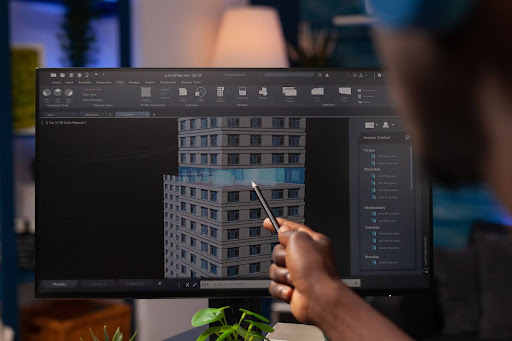
In the world of architecture, engineering, and construction (AEC), Building Information Modeling (BIM) has become the foundation of modern design workflows. Among all the programs out there, Autodesk Revit shines because it helps experts design, visualize, and coordinate projects smoothly. Yet using Revit requires effective skills, attention to detail, and experience. Many companies hit roadblocks with the complexity of the software and pressure to keep quality consistent; this is exactly where Revit 3D modeling helps make sense.
This blog talks about the main challenges teams run into when using Revit and then shows how outsourcing to specialized experts can solve these problems efficiently.
1. The Steep Learning Curve and Skill Gap
Revit is a robust and intricate software that demands technical expertise and deep understanding. With its smart modeling and custom component design, while supporting team-based projects, it offers strength, though it might overwhelm those just starting out.
Even experienced designers or builders still struggle to stay updated with Revit’s constant changes and shifting features.
Common Skill-Based Challenges:
- Trouble keeping track of family setups, template designs, or setting options smoothly, and also juggling them side by side without mix-ups.
- Limited experience using Revit rules, causing inconsistency across projects.
- Inability to fully utilize features such as worksharing, phasing, or connected models.
- Hours lost fixing model errors while sorting out team issues.
How Outsourcing Helps:
When you outsource modeling work to trained experts, you instantly access a pool of Revit experts who have already mastered these workflows. Since they stick to proven methods, ready-made tools, or familiar setups, each model turns out neat. uniform, and up to code. Your in-house team skips the steep learning curve while shifting attention toward creating designs or handling clients instead.
2. Managing Complex Project Coordination
One major perk of using Revit is the ability to sync different fields, which can also be its biggest challenge. On large projects, designers, architects, and structural engineers share one workspace. If things aren’t lined up well, overlapping elements and clashes between systems can lead to expensive rework.
Key Coordination Issues:
- Conflicts arising from architecture and mechanical systems.
- File size overloads and slow system performance.
- Broken worksharing links or incorrect model references.
- Difficulty in managing updates from multiple teams.
Expert Outsourcing Solution:
Outsourcing firms focused on BIM coordination assign skilled model leads that know how to organize, connect, or review detailed Revit models. Instead of guesswork, they run clash checks and track changes across versions while keeping everyone from architects to contractors in sync. Because of this setup, problems like delays, communication breakdowns, or expensive designs subsequently get slashed before they start.
3. Ensuring Model Accuracy and Level of Detail (LOD)
Precision when building models shapes how well they work for actual construction jobs. Some in-house groups make early-stage designs that skip details, which don’t fit what the job needs. Maintaining the correct Level of Detail (LOD) across all elements is critical but time-consuming.
Challenges in Maintaining Accuracy:
- Incorrect geometry or missing parameters in families.
- Different detail levels in architecture, structure, or MEP setups don’t match up.
- Missing data for quantity takeoffs, fabrication, or scheduling.
- Manual errors that go unnoticed until late in the project.
How Outsourcing Ensures Accuracy:
Outsourced Revit professionals stick to clear BIM standards and LOD specifications (LOD 100 to LOD 500). They use automated tools and quality control checklists to verify that every component matches the project’s accuracy requirements. By outsourcing, you get accurate, data-rich models ready for building, excluding exhausting your internal resources, all while saving your team’s time and effort.
4. Time and Resource Constraints
Most companies struggle to balance several projects without breaking their internal design rules. Doing models in Revit is time-intensive, and hiring experienced BIM experts full-time can become too expensive. When timelines get squeezed, things turn even messier.
Typical Bottlenecks:
- Delays in model delivery due to overworked teams.
- Few manpower when projects suddenly grow.
- High costs of software licensing and training.
- Poor use of experienced designers on repeat work.
Outsourcing Advantage:
You partner with skilled outsourcing experts, so you boost your production right away. Since they’re active in various time zones, things keep moving nonstop, speeding up results. You can outsource repetitive or complex modeling jobs to them, yet hold onto core design work yourself; this way projects get done within the budget.
5. Maintaining BIM Standards and Consistency
A lack of proper standards makes Revit files disorganized and tough to handle. Things like file names, shared controls, and common settings all need to be standardized, or projects could be affected. When different teams model their own way, mix-ups nad confusions happen more easily, which means doing things twice.
Common Standardization Problems:
- Non-uniform naming or parameter structures.
- Misconfigured viewable options making elements disappear from view.
- Lack of documentation or annotation consistency.
- Poor model organization that interferes with coordination
How Experts Maintain Quality:
Professional work groups stick to pre-established BIM setup guides and model formats matching worldwide rules like ISO 19650. Instead of just checking once, they run frequent reviews and test component behavior while also verifying documentation. As things stay uniform, your design data stays clean, easy to navigate, and works smoothly later on, whether it’s for schedules, visuals, or facility management.
6. Cost Control and Operational Efficiency
Running a fully equipped in-house BIM department can be expensive. Paying salaries, getting people trained, and then keeping them on board—paired with licenses and software, this can add up without warning. Outsourcing offers a lighter way to handle work while saving money.
Cost Benefits of Outsourcing:
- Pay only for what you need like project-based engagement models.
- Access to specialized skills without full-time employment costs.
- Eliminate training, recruitment, and overhead expenses.
- Ability to handle large projects without hiring permanent staff.
A trustworthy outsourced team can help you achieve the same or improved results for way less cost while maintaining a tight grip on deadlines and deliverables.
7. Scaling Up for Complex Projects
When projects get complex, especially in infrastructure, industrial, or mixed-use developments, Revit files pack in heavy data. To work efficiently with them, you need solid training along with real experience.
Typical Scaling Issues:
- Large file sizes that cause slow performance.
- Coordination issues between several connected systems.
- Incompatibility with other software or cloud-based collaboration tools.
- Difficulty in managing revisions and version control.
Outsourcing lets you gain access to teams skilled in high-end tech resources and experienced in model optimization, along with working across cloud platforms seamlessly. These experts can handle big Revit jobs without issues, keeping things steady and running well, even when work piles up.
Working Smarter with Expert Partnerships
Using Revit 3D modeling services through skilled outsourcing isn’t merely popular—it’s a smart move helping AEC companies get stronger results more quickly. Getting support from outsourcing experts offers adaptability, room to grow, and accuracy, so your in-house team can concentrate on creative design and connecting with clients.
Top outsourced teams such as DesignsMosaic deliver personalized services that fit different kinds of projects. Whether it’s Revit BIM work or family creation to CAD drafting, turning scans into models, or crafting 3D visuals, each task is handled with precision, steady quality, and on-time delivery.
Working alongside a skilled team such as DesignsMosaic helps reduce daily strain and improve oversight on standards while keeping different areas in sync smoothly.
If you want to boost your modeling speed while reducing expenses, then getting help from skilled Revit teams like DesignsMosaic makes total sense. From Revit BIM modeling and family creation to CAD drafting, scan-to-BIM, and 3D visualization, their team ensures accuracy, consistency, and on-time delivery. By using outsourcing professionals, you save time plus keep quality high across every project phase. This kind of support isn’t just convenient; it shapes how smoothly things run forward.
Their expertise in BIM modeling, Revit family creation, and CAD drafting services ensures your projects are accurate, detailed, and construction-ready, which keeps you competitive without falling behind others in the ever-shifting design and construction world.